User Guide
User Interface – Model Driven App
Contacts SharePoint Folders
When a Contact is requested from the Contact Request form, it is provisioned with the appropriate permissions. A contact will also have a specific folder structure provisioned whether the contact is an individual, or a corporate. All contacts will also have a standardised set of folders.
Standard Practice Gateway Folders
All Contacts, both Individuals and Corporates receive the following standard Practice Gateway folders.
-
Practice Gateway
- General Documents
- Onboarding
- Corporate
- Individual
- Private (Hide From Client)
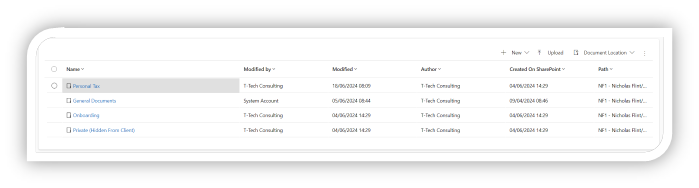
Individuals Folders
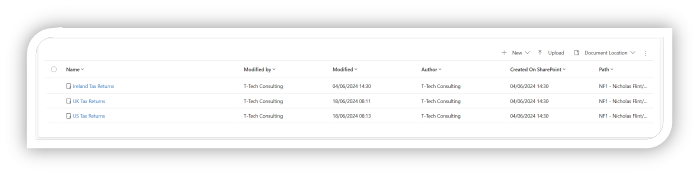
In addition to the standard Practice Gateway folders, an Individual receives:
-
Personal Tax
- UK Tax Returns
- Ireland Tax Returns
- US Tax Returns
Corporates Folders
In addition to the standard Practice Gateway folders, a Corporate receives:
- Audit
- Business Advisory
- Corporate Finance
- Corporation Tax
- Tax Information Requests
- Digital
- Funds Tax
- Funds Tax Information Requests
- Ireland Business Tax
- Partnerships
- Payroll
- Research And Development
- Risk And Assurance
- Trusts
User Access
All users who have access to the contact, will have access to the General Documents, Onboarding and Private Folders.
The following folders require a user to be in a specific team to access.
| Practice Gateway Folder | Team Access Required |
|---|---|
| Audit | Audit |
| Business Advisory | Business Advisory |
| Corporate Finance | Corporate Finance |
| Corporation Tax | Business Tax |
| Digital | Digital |
| Funds Tax | Funds Tax |
| Ireland Business Tax | Ireland Business Tax |
| Partnerships | Partnerships |
| Payroll | Payroll |
| Personal Tax | Ireland Tax, Standard Clients OR US Tax |
| Personal Tax > UK Tax Returns | Standard Clients |
| Personal Tax > Ireland Tax Returns | Ireland Tax |
| Personal Tax > US Tax Returns | US Tax |
| Research And Development | R&D |
| Risk And Assurance | Risk And Assurance |
| Trusts | Trusts |
- When a file has been uploaded to a specific Practice Gateway folder, the team associated with the folder will receive a notification.
- They will only receive one notification when more than one file is uploaded within a 10 minute period.
UK Tax Returns
-
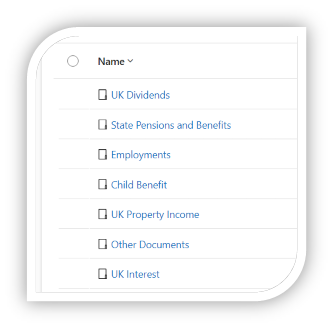
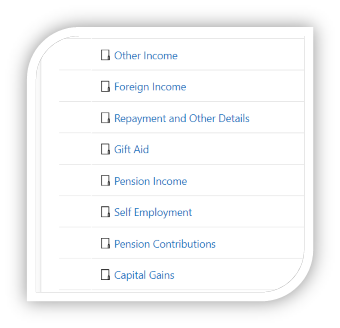
A Folder has been provisioned for each schedule of the UK Tax Return, enabling clients to upload their files underneath the appropriate schedule, and having the files stored in an organised manner.
-
The first time that a client uploads a file to a folder within the UK Tax Return, a notification will be sent to the UK Tax team, informing them of which folder the file has been uploaded to.
- Additional files that are uploaded within 10 minutes of the notification, will not trigger subsequent notifications. Even when uploaded to different schedules.
US Tax Information Request
-
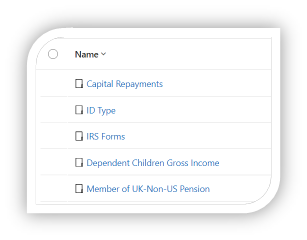
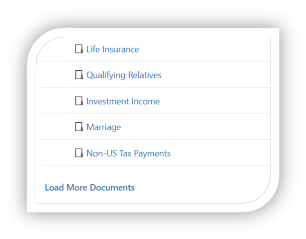
In the Practice Gateway App, the Documents tab has been moved from the Related menu, into the main form.
-
A Folder has been provisioned for each schedule of the US Tax Information Request, enabling clients to upload their files underneath the appropriate schedule, and having the files stored in an organised manner.
-
The first time that a client uploads a file to a folder within the US Tax Information Request, a notification will be sent to the US Tax team, informing them of which folder the file has been uploaded to.
- Additional files that are uploaded within 10 minutes of the notification, will not trigger subsequent notifications. Even when uploaded to different schedules.
Tax Information Request
-
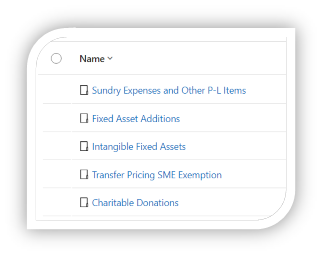
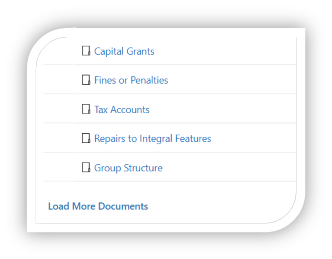
A Folder has been provisioned for each schedule of the Tax Information Request, enabling clients to upload their files underneath the appropriate schedule, and having the files stored in an organised manner.
-
The first time that a client uploads a file to a folder within the Tax Information Request, a notification will be sent to the Corporation Tax team, informing them of which folder the file has been uploaded to.
- Additional files that are uploaded within 10 minutes of the notification, will not trigger subsequent notifications. Even when uploaded to different schedules.
Funds Tax Information Request
-
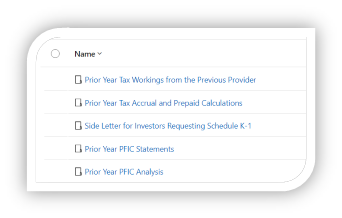
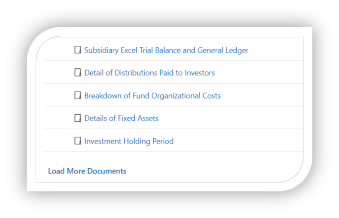
A Folder has been provisioned for each schedule of the Funds Tax Information Request, enabling clients to upload their files underneath the appropriate schedule, and having the files stored in an organised manner.
-
The first time that a client uploads a file to a folder within the Funds Tax Information Request, a notification will be sent to the Funds Tax team, informing them of which folder the file has been uploaded to.
- Additional files that are uploaded within 10 minutes of the notification, will not trigger subsequent notifications. Even when uploaded to different schedules.
Client Interface – Portal
In the Portal, clients are permitted the following functionality with Documents (This is excluding Document Approvals).
The following new features have been added to the documents grid:
- Upload
- A contact can upload multiple files at the same time to a folder.
- Collaborating on Files
- A contact can collaborate on files that have been uploaded to a folder.
Documents
In the Practice Gateway portal, contacts are defined by 2 types; Clients and Connected Contacts.
A Client is a direct client of the accountancy, primarily for Personal Tax, but they might also be a Connected contact, on behalf of another client, or a corporate.
A Connected contact is an Individual who can log into Practice Gateway and access the data of another Client or Corporate. This access is restricted based on connection roles between the contact and the Corporate.
Logged in Contact Access
-
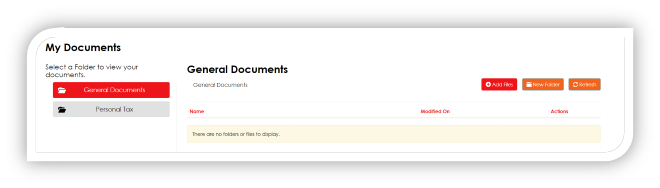
All clients in Practice Gateway will have access to their own General Documents folder.
-
Only clients with specific web roles will have access to the Personal Tax folder, and its sub folders.
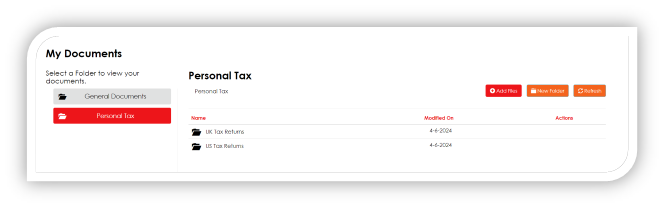
| Practice Gateway Folder | Web Role Required |
|---|---|
| Personal Tax | Personal Tax User, Ireland Tax User, US Tax User |
| Personal Tax > UK Tax Returns | Personal Tax User |
| Personal Tax > Ireland Tax Returns | Ireland Tax User |
| Personal Tax > US Tax Returns | US Tax User |
-
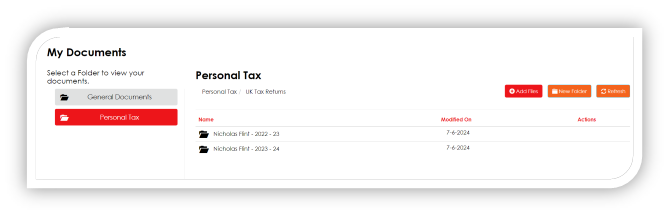
When a contact selects a folder, the view is updated to display the files contents.
-
The Onboarding folder is not accessible to a contact through the Portal.
-
The Private (Hidden From Client) folder is not accessible to a contact through the Portal.
Corporate Access
A Corporate is not able to log into Practice Gateway and will therefore not be able to access their documents. Contacts with the required permissions can log into Practice Gateway to access documents relating to the Corporate.
Practice Gateway Folder Access Connection Type
| Audit | Audit |
|---|---|
| Business Advisory | Business Advisory |
| Corporate Finance | Corporate Finance |
| Corporation Tax | Business Tax |
| Digital | Digital |
| Funds Tax | Funds Tax |
| Ireland Business Tax | Ireland Business Tax |
| Partnerships | Partnerships |
| Payroll | Payroll |
| Research And Development | RandD |
| Risk And Assurance | Risk And Assurance |
| Trusts | Trusts |
| Personal Tax | “Data Approver”, “Data Provider”, Ireland Tax, US Tax |
| Personal Tax > UK Tax Returns | Data Approver or Data Provider |
| Personal Tax > Ireland Tax Returns | Ireland Tax |
| Personal Tax > US Tax | Returns US Tax |
Connected Contact Access
A logged in contact that is connected to another contact (client or corporate), will be able to access folders depending on their connection roles to the other contact.
The Permission level of the connection will also restrict the access that the logged in contact has to the other contacts documents.
| Permission Level | Access |
|---|---|
| Data Approver | Upload, Download, Collaborate, Delete |
| Data Provider | Upload, Download, Collaborate, Delete |
| Read Only | Download Only |
| Documents Only | Upload Only |
UK Tax Return
-
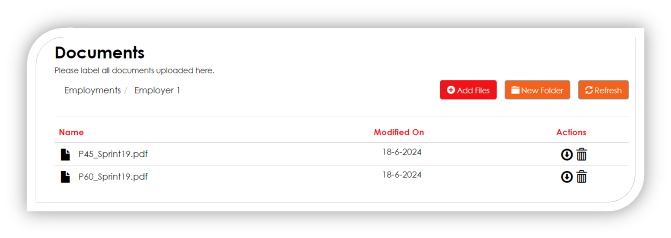
On the UK Tax Return, each schedule has its own Documents folder, enabling for a contact to upload documents underneath a particular schedule and have them organised effectively. Alternatively, clients are also able to uploads documents to the Other Documents schedule.
-
The Documents sections on the UK Tax Return are always available.
-
The Documents Only version of the form has been updated to include all schedules, and only contain their Documents lists.
US Tax Information Request
- On the US Tax Information Request, each schedule has its own Documents folder, enabling for a contact to upload documents underneath a particular schedule and have them organised effectively.
On the US Tax Information Request, the Documents section is only available depending on their response to each statement. The following statements do not display the Documents section, regardless of the response from the client:
- Personal Details
- Full name
- Occupation
- Date of birth
- SSN or ITIN
- Home address
- Donation
- Statement By Taxpayer
Tax Information Request
- On the Tax Information Request, each schedule has its own Documents folder, enabling for a contact to upload documents underneath a particular schedule and have them organised effectively.
Only specific sections on the Tax Information Request have the Documents always visible:
- Company Information
- Group Structure
- Profit And Loss
- Legal, professional and consultancy fees
On the Tax Information Request, the remainder of the Documents section are only available depending on the response to each statement.
Funds Tax Information Request
- On the Funds Tax Information Request, each schedule has its own Documents folder, enabling for a contact to upload documents underneath a particular schedule and have them organised effectively.
- The Documents sections on the Funds Tax Information Request are always available.